Reset connection in PowerBI
If you made a mistake in PowerBI when setting up your credentials to Snowflake, you'll notice that it is near impossible to change your settings. PowerBI is known for this.
The safest way to reset your login credentials is this:
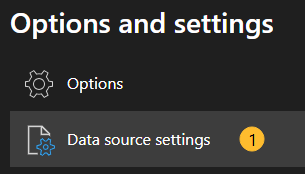
- Go to "File - Options and Settings", select "Data source settings":
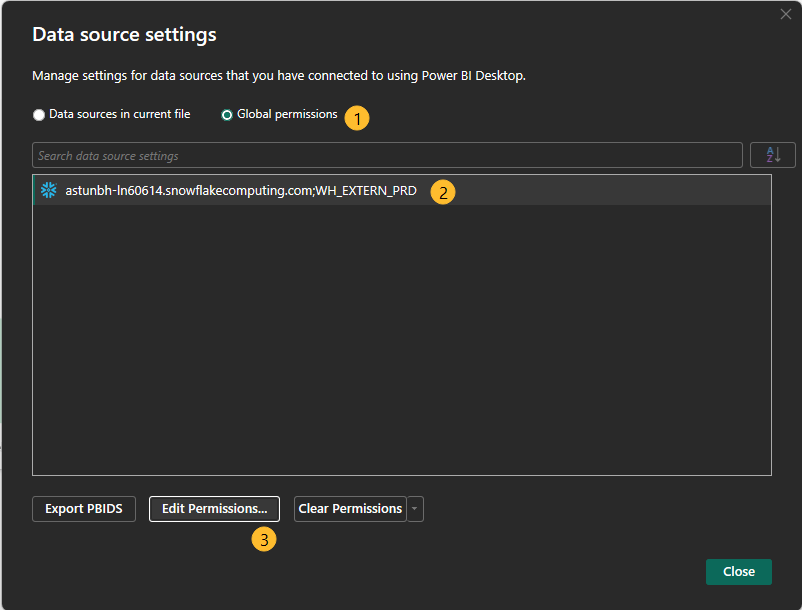
- Select "Global permissions" (1), then your Snowflake connection (2), then "Edit Permissions..." (3):
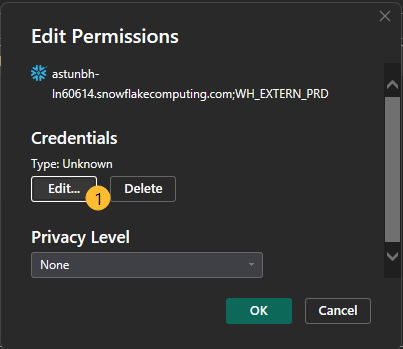
- Select "Edit" (1):
-
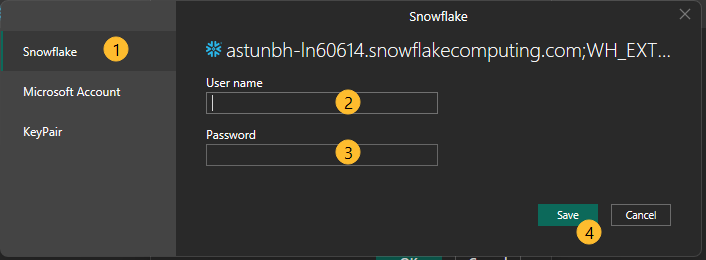
Select "Snowflake" (1), and set Username (2) and Password (3), hit "Save"" (4):
-
"OK" out of these screens and continue with setting up your dashboard.