Channel Engine
Preferred Partners
Paxon ⸗ Active Ants and Channel Engine are preferred partners, which means that our systems are interfaced according to each other's guidelines. Paxon ⸗ Active Ants' IT partner manages and maintains this interface between both systems.
Where can I find the App?
The Paxon ⸗ Active Ants App is not publicly available, only on request.
What is needed to make a connection between the two systems?
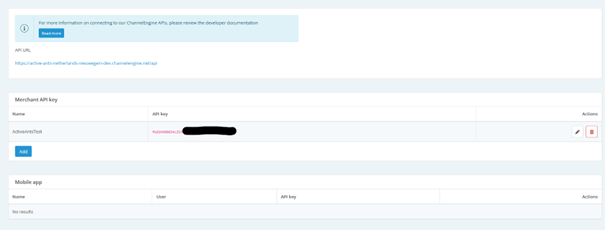
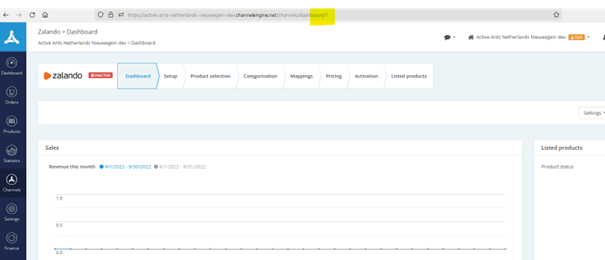
Paxon ⸗ Active Ants requires the Channel IDs from Channel Engine in order to connect. Paxon ⸗ Active Ants also needs an API Key from Channel Engine to set up a connection for a new customer. We need these credentials to be able to bring in orders. A connection is then set up with the ShopAPI of Paxon ⸗ Active Ants and both systems can communicate with each other.
Every channel connected to Channel Engine that is handled by Paxon ⸗ Active Ants, will need to be linked to an order type in Maya. Paxon ⸗ Active Ants will take care of the correct set up of the order types.
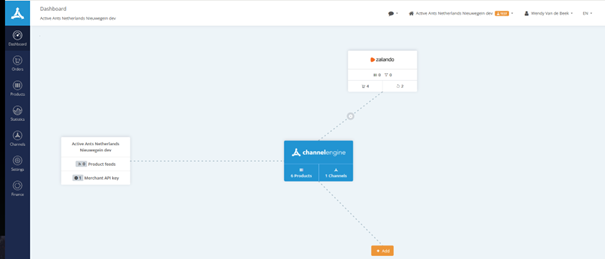
You can get the API Key by pressing Merchant API key and then a screen will follow with an API Key.
What happens after connection?
First of all, it must be checked that the SKU from Channel Engine matches the SKU in Maya. If not, it has to be matched.
If there are no products yet, we can activate a product interface.
Then the orders going to Paxon ⸗ Active Ants are pulled in and processed. As soon as the order is packed and shipped a message is send back to Channel Engine and the buyer is informed.
How are stocks and products synchronized?
The product link means that existing / new products created in Channel Engine are synchronized with Maya.
Stock is synchronized once every x minutes after there has been an update on the stock. The stock and product link has to be turned on. Please indicate in advance if you want to use this.
What is the roadmap with the client?
The client issues a joint order to Channel Engine and Paxon ⸗ Active Ants. The client provides Channel IDs and Key (in conjunction with Channel Engine). Paxon ⸗ Active Ants provides credentials for Maya. Account, order type, packing slip and BasketPic are meanwhile set up by Paxon ⸗ Active Ants.
The client indicates which links need to be activated:
- Product
- Stock
- Orders and shipments (which is standard)
- Returns
The client verifies that the SKUs and stock link are set up properly and then a date/time of linkage is agreed upon and Paxon ⸗ Active Ants will set up the API connection.
Returns
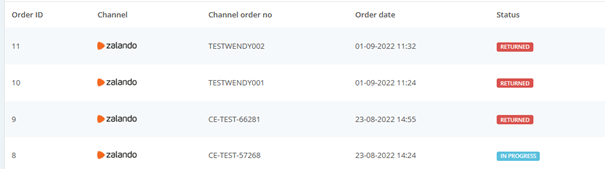
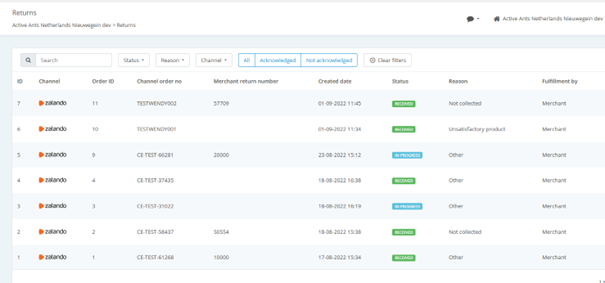
RMA's will be forwarded to Paxon ⸗ Active Ants and they will in their turn report returns.
Returns without notice will also be reported in Channel Enginge.
Return package numbers that are issued with the shipment will be registered in Channel Engine.
Cancelled orders
At the moment (Q3 2022) a solution is being worked on to enable a cancelled order in Channel Engine to also be cancelled in Maya.
What are the peculiarities?
Bundle products must be configured in Maya. The connection checks whether there is sufficient stock of the underlying products.
FAQ
My sent orders are not updated in Maya
Do a check on:
- Is there another API active (custom API) that syncs shipments, without filtering shipments on order type.
Checked the above and it's still not working? please contact itsupport@activeants.com
Can we get carrier information back in Channel Engine?
Yes it is possible to map used carriers. We can set this up if required, but it is not standard.